January 6, 2025
Article
What Is AVD and Why Would You Want It
Learn about Azure Virtual Desktop
What Is Azure Virtual Desktop and Why Would You Want It
Most people think of their computer as the physical device sitting in front of them. But today, work happens everywhere and on every kind of device, which means businesses need something more secure, more flexible, and easier to manage. That is where Azure Virtual Desktop, or AVD, comes in.
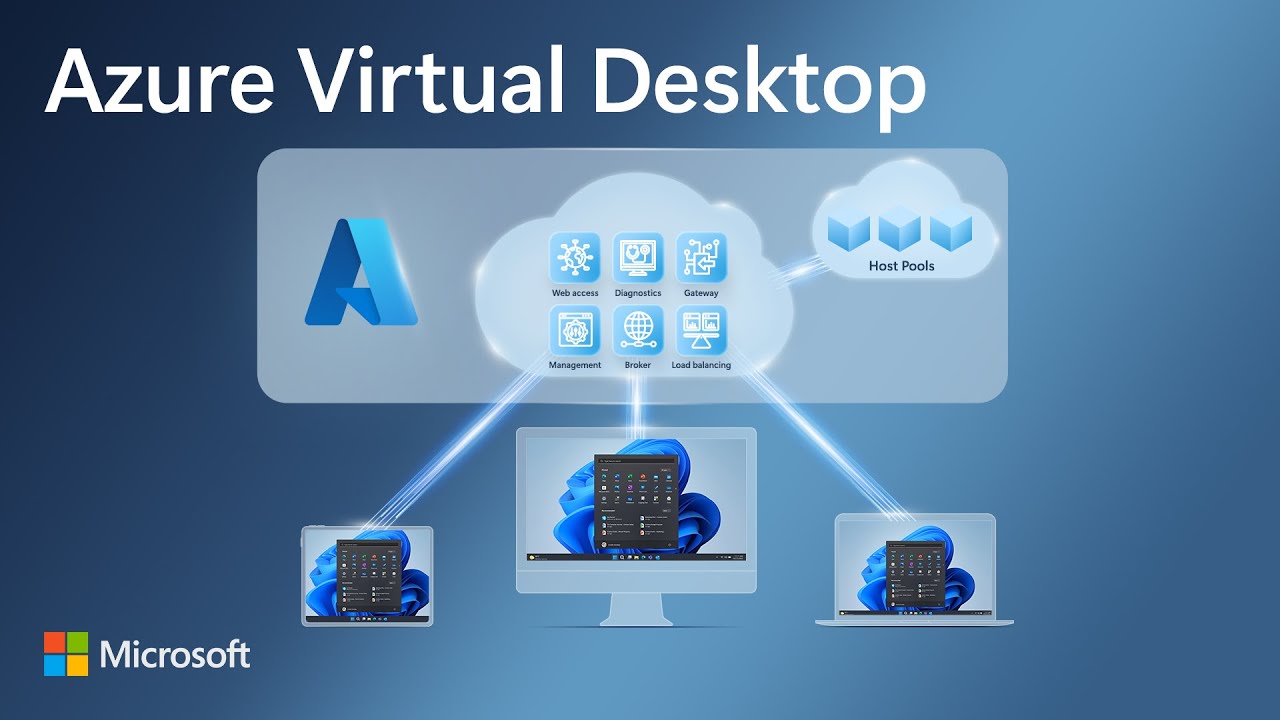
Azure Virtual Desktop is a way to give employees a full Windows computer that lives in the cloud instead of on a single physical machine. You can think of it like streaming your computer the same way you stream a movie. You are not downloading anything huge to your device. You are simply connecting to a powerful system that runs safely in Microsoft’s cloud.
You can use AVD from a laptop, an iPad, a home computer, or almost any device with an internet connection. No matter where you are, your desktop looks the same, your apps behave the same, and your files are exactly where you left them.
Why Businesses Want Azure Virtual Desktop
Work from anywhere without headaches
AVD gives people the same work experience whether they are in the office, at home, traveling, or using a temporary device. Everything is consistent and secure because the desktop lives in the cloud, not on the device.
Much stronger security
When you use a normal computer, your files live on that machine. If the device breaks, gets lost, or gets stolen, your data is at risk. With AVD, nothing is stored on the device. All data stays inside Microsoft’s secure cloud, which protects businesses from cyberattacks, accidental loss, and unauthorized access.
Lower IT stress
With AVD, companies do not have to manage dozens of individual computers. Software updates, security patches, and standard setups are done centrally. This cuts down on support time, eliminates configuration mistakes, and keeps everything running smoothly.
Perfect for hybrid work
Companies no longer need to decide between office-only work or fully remote work. AVD gives them a reliable middle ground. Employees can switch between home and office without switching computers or worrying about files being scattered across multiple devices.
Great for organizations with sensitive or regulated data
Industries like healthcare, finance, manufacturing, and defense contractors often need strict control over how data is used. AVD creates a controlled environment that keeps sensitive information in a protected place. Even if employees access the environment from home, the data never leaves the secure cloud.
Easy to scale up or down
If the business hires seasonal workers, contractors, or short-term teams, it is simple to add new desktops and remove them later. There is no need to buy new physical computers or worry about keeping them up to date.
Who Uses Azure Virtual Desktop
AVD is useful for almost any organization, but it is especially valuable for:
• Companies with remote or hybrid employees
• Businesses that handle sensitive information
• Organizations preparing for compliance requirements like CMMC
• Schools that need consistent desktops for students and faculty
• Medical offices that need secure access to patient information
• Small and midsize companies that want enterprise-level security
Why AVD Masters Helps Companies Adopt AVD
Azure Virtual Desktop is powerful, but building it correctly requires planning, security design, and a solid understanding of how Microsoft’s cloud works. AVD Masters specializes in building and managing these environments so businesses do not have to figure it out on their own.
We create secure, fast, stable virtual desktops that allow teams to work from anywhere while keeping the organization protected and compliant. We also help companies decide which parts of their business should use AVD, how to manage costs, and how to design a setup that works today and scales tomorrow.