Blog Posts

Blog Posts

Latest News Articles

Stay up to date with the latest improvements and new features

Article

Jan 1, 2025

Maximum Security with AVD

Why Azure Virtual Desktop Is One of the Strongest Security Choices for Any Business

Cybersecurity risk is no longer something only large enterprises or government contractors worry about. Every business, from small local companies to global organizations, is now a target. With employees working in different locations and on different devices, protecting company data has become harder than ever. Azure Virtual Desktop offers one of the most secure ways to operate in this reality, and its benefits go far beyond compliance or government requirements.

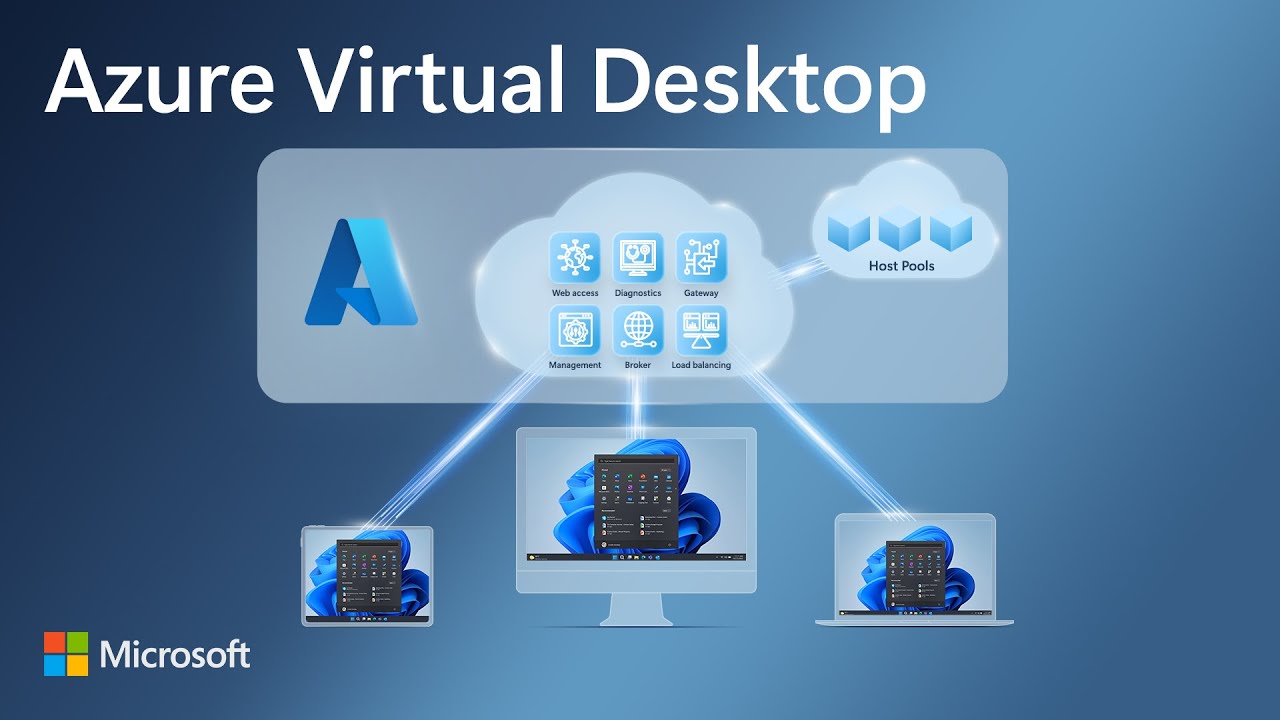
Azure Virtual Desktop gives organizations a modern way to secure their data by keeping sensitive information in a controlled cloud environment rather than on individual laptops or personal devices. It creates a workspace that employees can access from anywhere while keeping the company’s data locked down and protected.

No Data Lives on the Device

One of the biggest weaknesses in traditional work environments is the device itself. Laptops get stolen, phones get lost, and personal computers get infected with malware. When company data lives on those devices, the business is exposed.

Azure Virtual Desktop removes that problem completely. Nothing is stored on the local device. If a device is lost or compromised, no company data goes with it. This single feature alone eliminates the majority of data exposure events that companies struggle with today.

Protection From Ransomware and Cyberattacks

Ransomware continues to be one of the most damaging threats facing businesses. Entire networks can be shut down in minutes if a single employee opens the wrong file.

With Azure Virtual Desktop, the attack surface is dramatically reduced because applications and data run inside Microsoft’s secured cloud environment. Hackers cannot easily encrypt or damage what they cannot directly access. Even if an employee’s device is infected, the AVD environment remains isolated and protected.

Consistent Security Everywhere Employees Work

Companies often struggle to secure remote workers, branch offices, contractors, and temporary staff. Different devices and networks mean different levels of risk.

Azure Virtual Desktop creates one consistent, secure workspace that looks and functions the same everywhere. Employees connect to the same protected environment whether they are in the office, at home, or traveling. Security does not depend on the WiFi network they use or the computer they log in from.

Centralized Control Without Being Overbearing

Security often fails because it relies on employees making perfect choices. Azure Virtual Desktop gives the organization the ability to enforce strong protection automatically.

IT teams can control:

• who accesses what
• how data moves
• what devices can connect
• when updates and patches are applied

Instead of managing dozens or hundreds of individual computers, everything is protected and updated from one central location. This keeps security consistent and removes human error from critical areas.

Strong Identity Protection Built In

Weak passwords and compromised accounts are one of the top causes of security breaches. Azure Virtual Desktop uses Microsoft’s identity protection features, including multifactor authentication and conditional access, to ensure only trusted users and trusted devices can get in. These protections run automatically and adapt to risky sign-in behavior.

Isolation of Sensitive Roles or Departments

Even in non-regulated businesses, some employees access more sensitive data than others. Azure Virtual Desktop makes it easy to contain financial data, HR information, customer records, or intellectual property inside a protected environment.

This stops accidental sharing, unauthorized access, and internal mistakes that could put company data at risk.

Security Designed for Modern Hybrid Work

Whether your business has five employees working from home or hundreds splitting time between office and remote locations, Azure Virtual Desktop removes the security blind spots that traditional computers create. It gives companies the freedom to support flexible work while maintaining strong protection.

Not Just for DoD. Not Just for Highly Regulated Industries.

Azure Virtual Desktop is one of the most secure options available for organizations of any size because the threats businesses face today are the same threats facing large enterprises. Every company benefits from stronger data protection, centralized control, and reduced risk from insecure devices.

Even businesses with no compliance requirements choose AVD because they want:

• predictable security
• simplified IT management
• protection against data loss
• the ability to support remote work without added risk

A Simple, Practical Way to Strengthen Security

Azure Virtual Desktop gives businesses a secure foundation without forcing them to overhaul their entire IT environment. It is a straightforward way to improve security, reduce risk, support a modern workforce, and protect data no matter where employees work.
widget pic

Article

Jan 1, 2025

Maximum Security with AVD

Why Azure Virtual Desktop Is One of the Strongest Security Choices for Any Business

Cybersecurity risk is no longer something only large enterprises or government contractors worry about. Every business, from small local companies to global organizations, is now a target. With employees working in different locations and on different devices, protecting company data has become harder than ever. Azure Virtual Desktop offers one of the most secure ways to operate in this reality, and its benefits go far beyond compliance or government requirements.

Azure Virtual Desktop gives organizations a modern way to secure their data by keeping sensitive information in a controlled cloud environment rather than on individual laptops or personal devices. It creates a workspace that employees can access from anywhere while keeping the company’s data locked down and protected.

No Data Lives on the Device

One of the biggest weaknesses in traditional work environments is the device itself. Laptops get stolen, phones get lost, and personal computers get infected with malware. When company data lives on those devices, the business is exposed.

Azure Virtual Desktop removes that problem completely. Nothing is stored on the local device. If a device is lost or compromised, no company data goes with it. This single feature alone eliminates the majority of data exposure events that companies struggle with today.

Protection From Ransomware and Cyberattacks

Ransomware continues to be one of the most damaging threats facing businesses. Entire networks can be shut down in minutes if a single employee opens the wrong file.

With Azure Virtual Desktop, the attack surface is dramatically reduced because applications and data run inside Microsoft’s secured cloud environment. Hackers cannot easily encrypt or damage what they cannot directly access. Even if an employee’s device is infected, the AVD environment remains isolated and protected.

Consistent Security Everywhere Employees Work

Companies often struggle to secure remote workers, branch offices, contractors, and temporary staff. Different devices and networks mean different levels of risk.

Azure Virtual Desktop creates one consistent, secure workspace that looks and functions the same everywhere. Employees connect to the same protected environment whether they are in the office, at home, or traveling. Security does not depend on the WiFi network they use or the computer they log in from.

Centralized Control Without Being Overbearing

Security often fails because it relies on employees making perfect choices. Azure Virtual Desktop gives the organization the ability to enforce strong protection automatically.

IT teams can control:

• who accesses what
• how data moves
• what devices can connect
• when updates and patches are applied

Instead of managing dozens or hundreds of individual computers, everything is protected and updated from one central location. This keeps security consistent and removes human error from critical areas.

Strong Identity Protection Built In

Weak passwords and compromised accounts are one of the top causes of security breaches. Azure Virtual Desktop uses Microsoft’s identity protection features, including multifactor authentication and conditional access, to ensure only trusted users and trusted devices can get in. These protections run automatically and adapt to risky sign-in behavior.

Isolation of Sensitive Roles or Departments

Even in non-regulated businesses, some employees access more sensitive data than others. Azure Virtual Desktop makes it easy to contain financial data, HR information, customer records, or intellectual property inside a protected environment.

This stops accidental sharing, unauthorized access, and internal mistakes that could put company data at risk.

Security Designed for Modern Hybrid Work

Whether your business has five employees working from home or hundreds splitting time between office and remote locations, Azure Virtual Desktop removes the security blind spots that traditional computers create. It gives companies the freedom to support flexible work while maintaining strong protection.

Not Just for DoD. Not Just for Highly Regulated Industries.

Azure Virtual Desktop is one of the most secure options available for organizations of any size because the threats businesses face today are the same threats facing large enterprises. Every company benefits from stronger data protection, centralized control, and reduced risk from insecure devices.

Even businesses with no compliance requirements choose AVD because they want:

• predictable security
• simplified IT management
• protection against data loss
• the ability to support remote work without added risk

A Simple, Practical Way to Strengthen Security

Azure Virtual Desktop gives businesses a secure foundation without forcing them to overhaul their entire IT environment. It is a straightforward way to improve security, reduce risk, support a modern workforce, and protect data no matter where employees work.
widget pic

AVD Masters©

support@AVDmasters.com

AVD Masters©

support@AVDmasters.com